
ADD ITEMS TO YOUR CART

Click the cart to Checkout (Please make sure you have your bitcoin ready)

Fill in your shipping details and place your order

You will see a screen like below that will contain the Bitcoin payment information required to complete your order
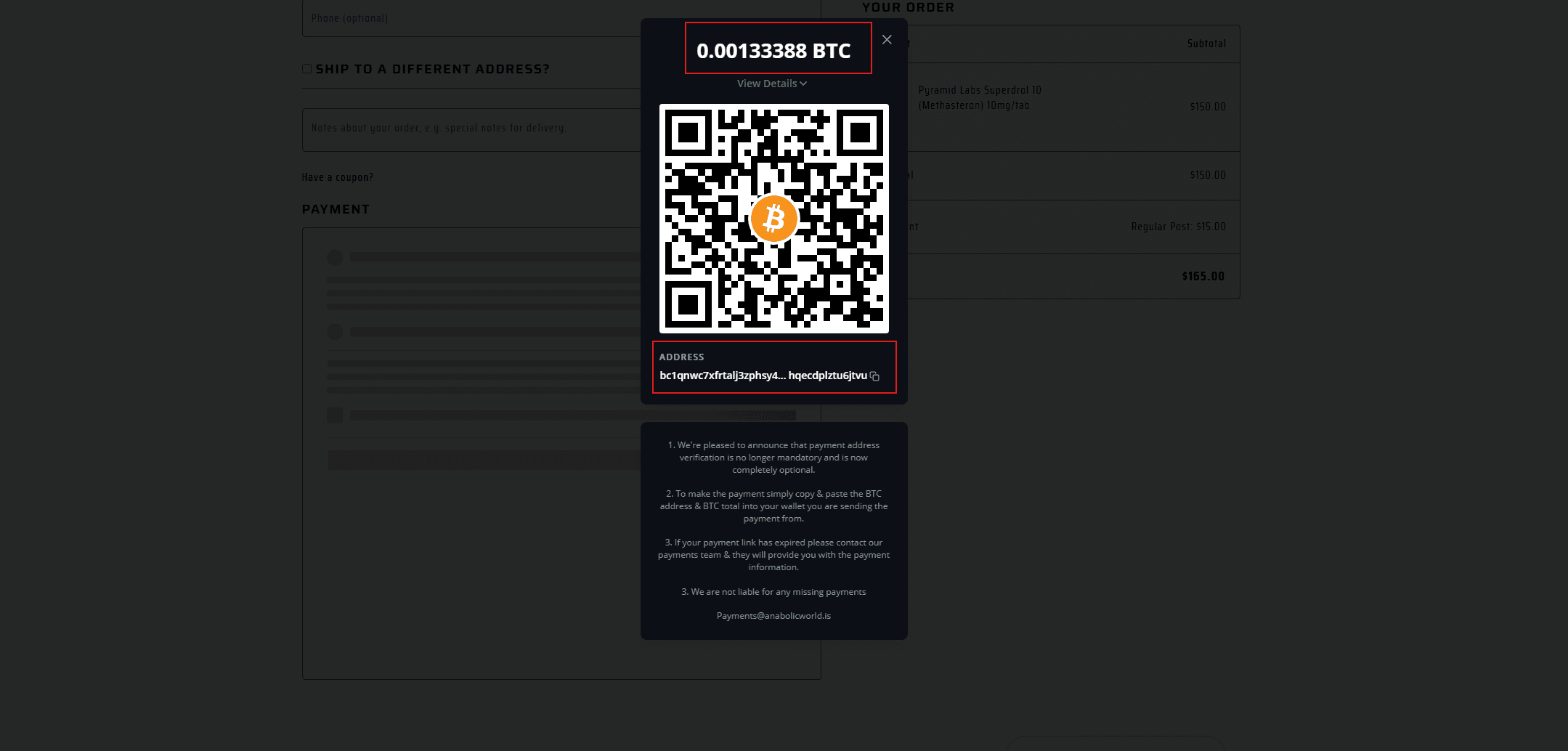

1.Copy the Bitcoin wallet address shown at the bottom of the invoice.
2.Copy the exact Bitcoin amount shown at the top of the invoice.
3.Save both the wallet address and BTC amount on your phone or computer before leaving the invoice page. This helps prevent losing the payment details if the page refreshes when you open your Bitcoin wallet.
4.Open the wallet or exchange you are sending Bitcoin from, paste in the wallet address, enter the exact BTC amount shown on the invoice, and complete the payment. Once the Bitcoin payment has been received and confirmed, your order will be updated accordingly.